A product I own and run

Spoonlet: everyday protein & fiber

A food tracker built around familiar portions, not calorie counts. I designed and built the meal builder, saved-meal workflow, and on-device diary.

Available for iPhone. Android is planned.

Inside Spoonlet

Real app screens from Spoonlet’s published product site. Swipe or scroll to explore the meal-building flow.

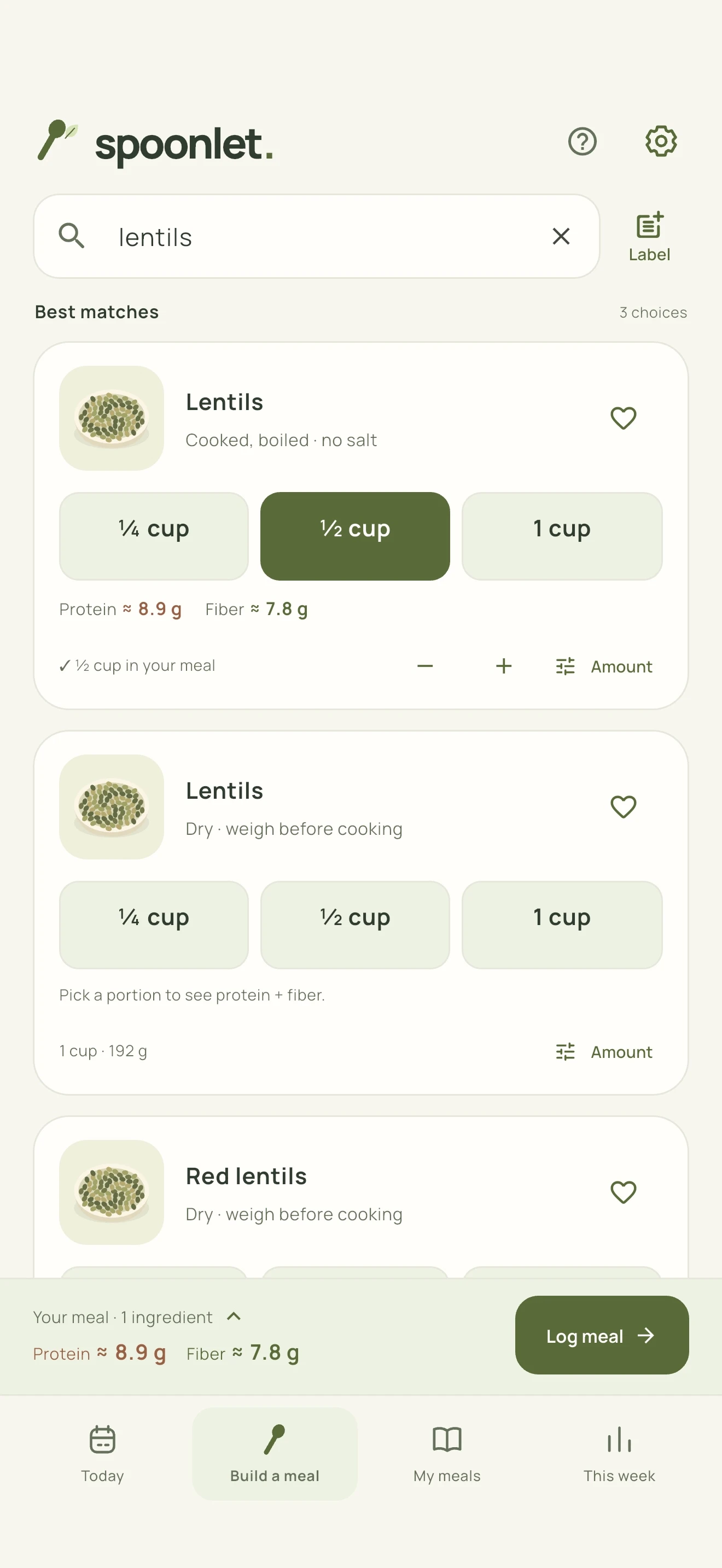
Find an ingredient. Cooked and dry lentils appear separately, with portion choices and both nutrient estimates beside the food.

Find an ingredient

Cooked and dry lentils appear separately, with portion choices and both nutrient estimates beside the food.

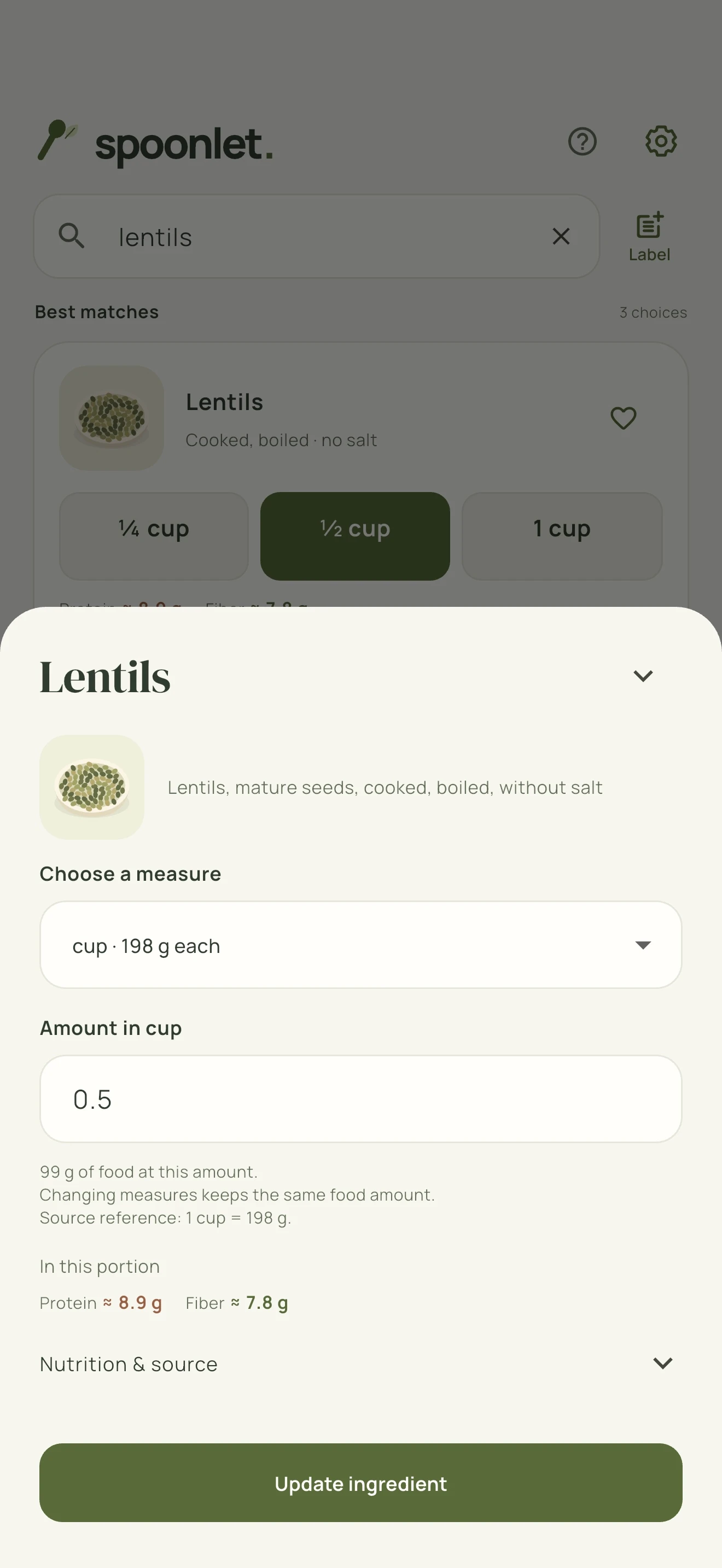
Adjust the portion. A half-cup selection shows its food weight, protein, fiber, and the source of the portion measurement.

Adjust the portion

A half-cup selection shows its food weight, protein, fiber, and the source of the portion measurement.

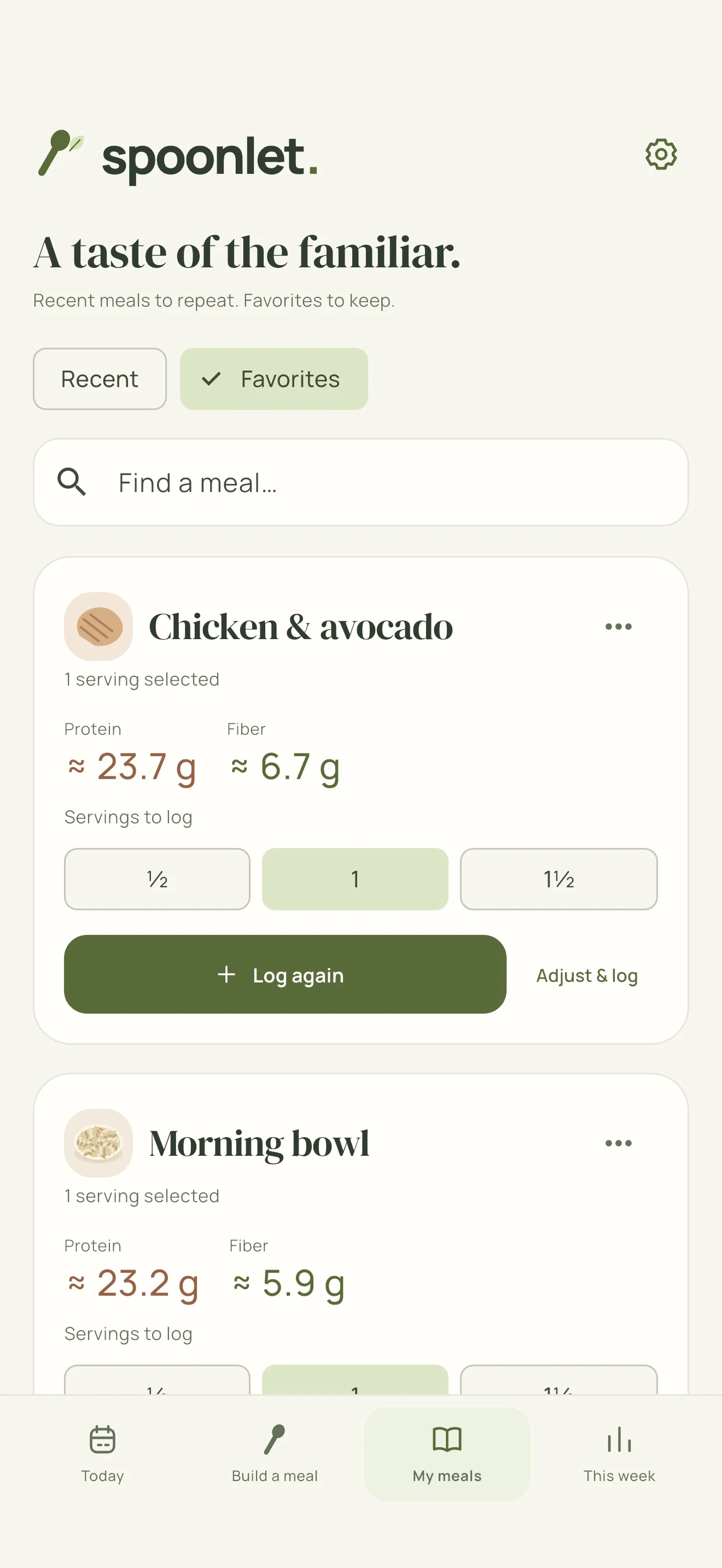
Repeat a favourite. Saved meals can be logged again as a full or fractional serving, or adjusted before adding them to the diary.

Repeat a favourite

Saved meals can be logged again as a full or fractional serving, or adjusted before adding them to the diary.

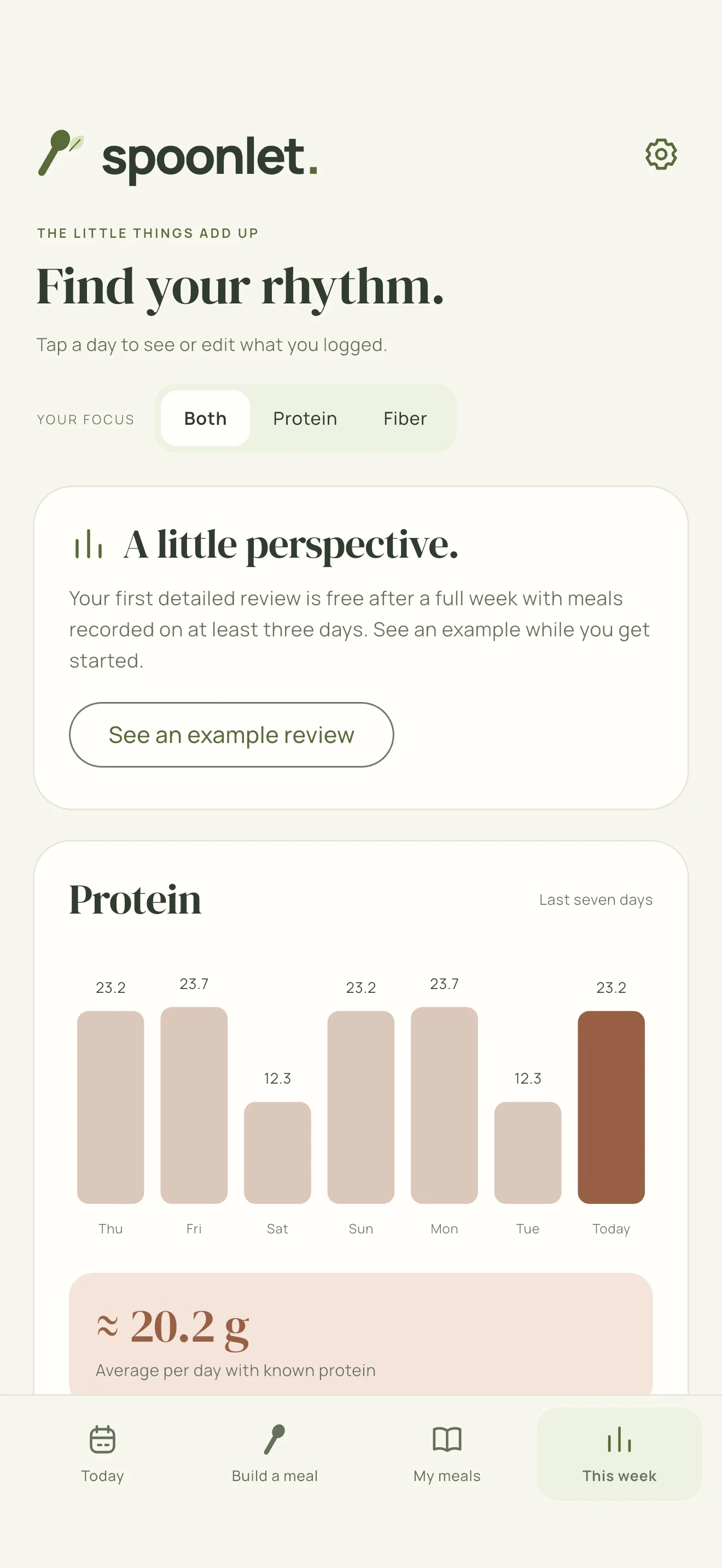
Review the week. A dated view of recorded meals shows daily totals and averages, with separate protein and fiber views.

Review the week

A dated view of recorded meals shows daily totals and averages, with separate protein and fiber views.

The design problem.

Logging a meal can mean searching unfamiliar food names, converting portions, and rebuilding something you ate yesterday. Spoonlet keeps the task focused: choose the food, pick an amount, and see protein and fiber together. Goals are optional, and values are presented as estimates.

What I built

Portions with a consistent calculation

I bundled the food catalog for offline search and connected foods to their portion weights. Switching between household measures, grams, and ounces preserves the food amount. Missing nutrient values stay visible instead of silently becoming zero.

Saved meals, separate from the diary

I built favourites and batch servings separately from dated diary entries. Someone can edit a saved meal without changing what they already logged, then repeat a full or fractional serving when they eat it again.

Local data with a recovery path

The diary uses ordered writes, temporary-file replacement, and a previous-copy recovery path. Export and restore let users keep a backup. Core tracking works without an account or a server connection.

For your technical team

Flutter and Dart, a bundled food catalog, versioned JSON diary storage, and native file import and sharing. RevenueCat handles the optional Plus purchase integration. The food diary remains on the device; these are product-engineering decisions, not claims of clinical effectiveness.

Have a focused app idea?

Tell me the daily task your app should make easier. I’ll help scope a useful first version.

Discuss your idea